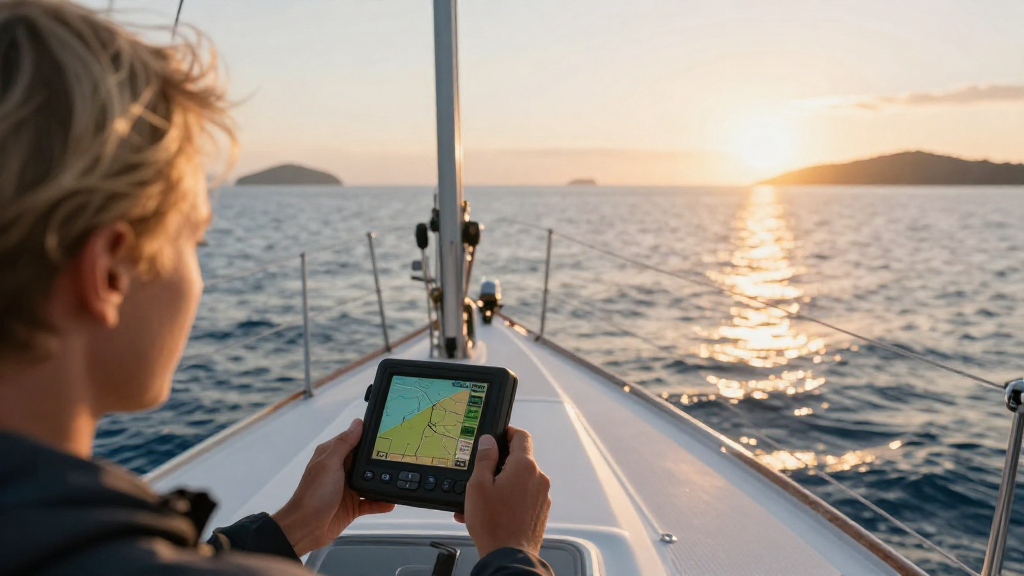
Navigating the open waters can be a daunting task, but knowing how to use a marine GPS can significantly enhance your boating experience. This guide will delve into the essential aspects of using a marine GPS effectively, ensuring that you get the most out of this indispensable tool.
What is a Marine GPS?
A Marine GPS (Global Positioning System) is a specialized navigation device designed for use on watercraft.
It utilizes satellite technology to provide real-time positioning information, helping sailors and boaters safely navigate through seas and oceans.
Why Should You Use a Marine GPS?
Using a marine GPS comes with many benefits:
- Accurate Positioning: Provides precise location data, significantly reducing the chances of getting lost at sea.
- Detailed Charts: Marine GPS devices come preloaded with nautical charts, providing detailed information about water depths, underwater hazards, and navigational aids.
- Route Planning: Offers the ability to plan routes in advance, ensuring a safe and efficient journey.
- Waypoints: Allows users to mark key points on their journey, such as fishing spots or harbor entrances, making them easy to revisit.
- Safety Features: Many devices come equipped with safety features like man-overboard alarms and emergency signals.
How Do You Set Up a Marine GPS?
When learning how to use a marine GPS, understanding the initial setup is crucial.
-
Select a Location:
– Choose a spot that has a clear view of the sky, which helps the device connect to satellites more easily. -
Power Up the Device:
– Turn on the GPS by pressing the power button, typically found on the front of the device. -
Connect to Power Source:
– If you’re using a portable unit, ensure it’s charged. For fixed installations, connect it to the boat’s power supply. -
Adjust Settings:
– Set your preferred units (nautical miles, feet, etc.) and time format (12-hour or 24-hour). -
Initialize the GPS:
– Allow the device a few minutes to acquire satellite signals. This is essential for accurate positioning.
How to Enter Waypoints and Routes?
Once your marine GPS is set up, entering waypoints and routes is a crucial part of how to use a marine GPS.
Adding Waypoints:
-
Locate the Waypoint Button: This is often found on the main menu or as a physical button.
-
Enter the Waypoint Details:
– Input the name and coordinates or allow the device to record your current position by selecting “Save Current Position.” -
Save the Waypoint: Confirm the entry to store it in the device’s memory.
Planning a Route:
-
Select Route Planning: Find the route planning feature in the main menu.
-
Add Multiple Waypoints:
– Choose your starting point and add subsequent waypoints in the order you wish to travel. -
Review the Route: Check for any potential hazards or changes in the course before saving.
-
Save the Route: Finalize and store the route in the device for future use.
What Features Should You Look For?
When mastering how to use a marine GPS, understanding the various features available will enhance your overall experience. Look for these key functionalities:
Essential Features:
- Built-in Maps: Preloaded nautical charts that are regularly updated.
- Real-Time Data: Displays current speed, course, and heading, crucial for navigation.
- Weather Information: Some models integrate real-time weather updates, which is vital for safety.
- Integrated Radar: Helps visualize nearby boats and hazards, especially during low visibility conditions.
- Chart Plotting: Displays your planned route and current position relative to the navigation chart.
- Automatic Updates: Some GPS systems support auto-updates for maps and software.
What Navigation Mode Should I Use?
Most marine GPS units offer multiple navigation modes. Understanding how each one works is important.
-
2D Mode: This displays a flat version of your surroundings, ideal for coastal navigation.
-
3D Mode: Provides a three-dimensional view, making it easier to gauge distances and elevations.
-
Complicated and Simple Routes:
- Opt for simple routes while you familiarize yourself with the device.
- Complicated routes can be gradually introduced as you build confidence.
How Do You Maintain Your Marine GPS?
Proper maintenance is key to ensuring your GPS device works effectively over time. Here are some tips:
-
Regular Software Updates:
– Always ensure you are running the latest software and maps for optimal performance. -
Clean the Screen:
– Use a soft cloth to avoid scratches on the screen and ensure visibility. -
Store Properly:
– When not in use, keep it in a protective case to avoid damage from water or impacts. -
Battery Care:
– Regularly check and replace batteries when necessary, ensuring you’re always ready for your next trip. -
Check for Damage:
– Inspect your GPS for any signs of wear or damage after each trip.
What if I Encounter Technical Issues?
It’s important to know how to use a marine GPS effectively, but also to troubleshoot common issues.
Common Problems:
- No GPS Signal: Ensure you’re outdoors with a clear view of the sky.
- Device Freeze: Restart the GPS if it becomes unresponsive.
- Outdated Maps: Regularly check for software updates and refresh your maps.
Troubleshooting Steps:
-
Reset the Device: Many marine GPS units have a reset function in the menu.
-
Check Connections: Ensure all cables and connections are secure if you have a fixed installation.
-
Consult the Manual: Refer to the user manual for specific troubleshooting advice.
-
Customer Support: Reach out to the manufacturer’s customer service for assistance regarding persistent issues.
Conclusion:
Mastering how to use a marine GPS is a valuable skill that enhances safety and navigation efficiency on the water.
By understanding the features, maintaining the device properly, and knowing how to troubleshoot issues, you’ll be well on your way to an enjoyable and safe boating experience.
Take the time to familiarize yourself with your marine GPS, practice route planning, and utilize the features to maximize your navigational capabilities.
With these tips in mind, you will be navigating like a pro in no time!